Tiger Touch II – Professional Lighting Console
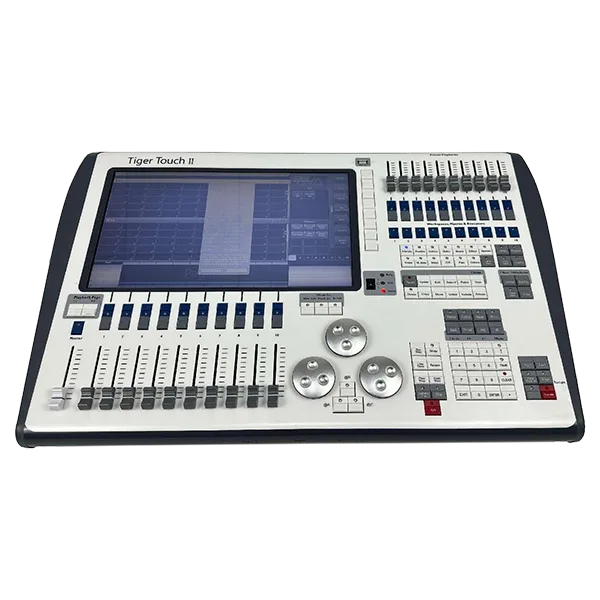
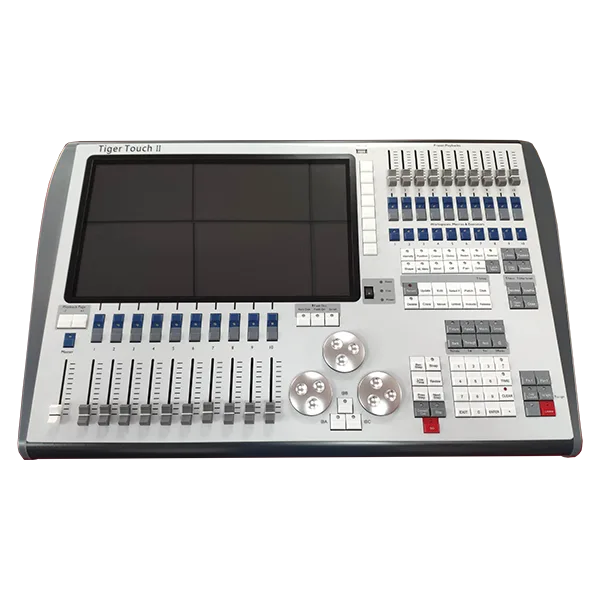
A compact yet powerful lighting console built for live events, touring, and installations. The Tiger Touch II delivers 8,192 DMX channels, expandable to 32,768, with intuitive hands-on control via a 15.6-inch touchscreen, 20 playback faders, and 10 macro buttons.
Seamlessly integrate into any rig with support for ArtNet, S-ACN, DMX512, MIDI, and SMPTE LTC. Built for reliability on the road, it features a built-in uninterruptible power supply, dual Gigabit Ethernet ports, and support for an external touch screen.
Ideal for festivals, theaters, corporate events, and houses of worship—wherever professional control meets portability.
Model Name: TIGER TOUCH II
Product Name: Professional Lighting Console
DMX & Control
● DMX channels per device: 8,192
● Maximum DMX channels: 32,768 (with processors)
● Controls: 20 playback faders, 10 macro / performer buttons
● 15.6-inch touchscreen
● 3 optical encoders
Connectivity
● 4 × XLR 5-pin (DMX)
● 4 × USB
● 2 × Gigabit Ethernet
● Display Port and DVI
● MIDI In & Out (5-pin DIN)
● SMPTE LTC (3-pin XLR)
● Support for one additional touch screen
Power & Protection
● Built-in uninterruptible power supply (UPS)
● Power consumption: 80 W
● Power supply: 110–240 V AC, 50–60 Hz
Protocols Supported
● ArtNet, S-ACN, DMX512, MIDI, SMPTE LTC
Physical Specifications
● Fixture Dimension: 675 × 435 × 150 mm
● Packing Dimension: flight case - 740 × 510 × 290 mm
● Net Weight: 16 kgs
● Gross Weight: 26 kgs